You spent an hour testing colors in a visualizer. Found the one. Approved it. Watched the painter roll it onto your siding and felt your stomach drop. It looked nothing like the screen.
Choosing the right exterior paint color can be costly, with jobs ranging from $3,000 to $15,000.
The issue isn’t always the color, but using the wrong tool for the job. Traditional paint visualizers often mislead by showing unrealistic previews, leaving homeowners frustrated when the color doesn’t match.
Today, there are two types of visualizers: brand-locked tools tied to a single paint manufacturer, and AI-powered options that render realistic lighting, shadows, and textures based on your actual photo.
In this guide, you’ll learn which tool to use at each stage, ensuring your color choice is accurate and realistic before you purchase.
What is an Exterior House Color Visualizer?
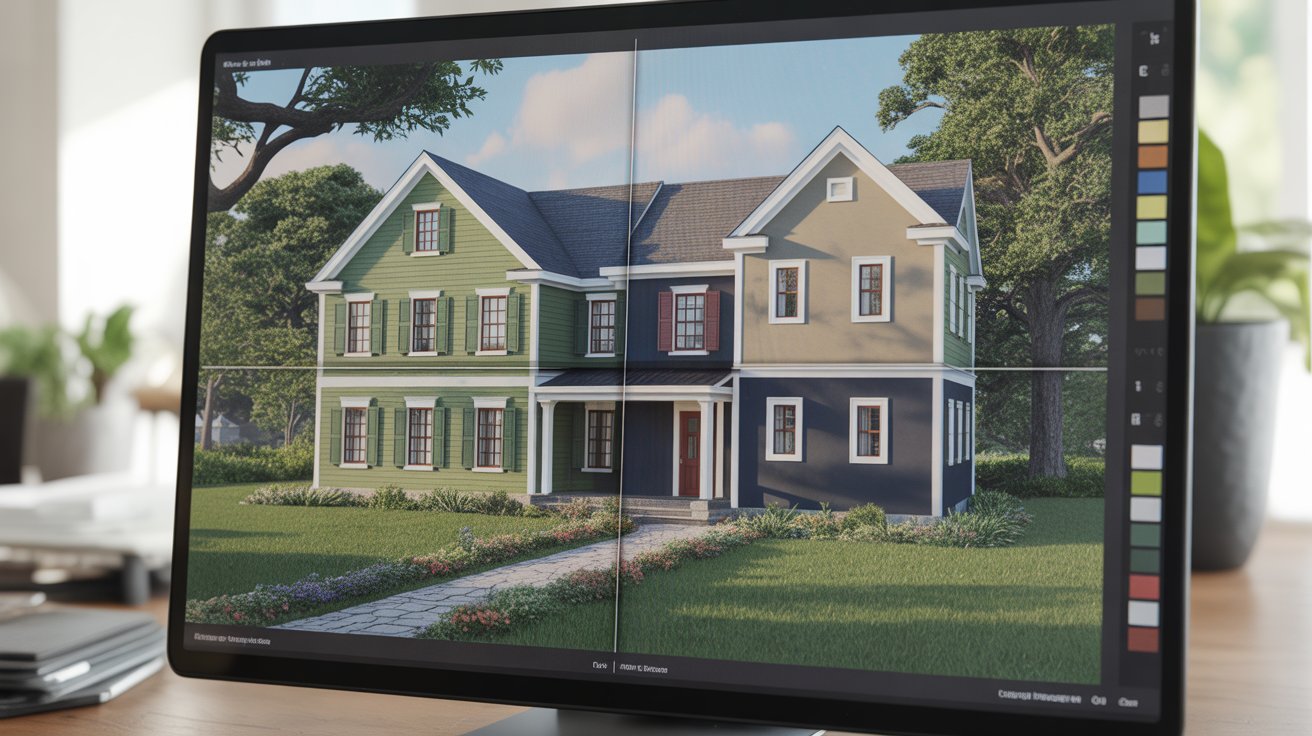
An exterior house color visualizer is a digital tool that lets homeowners, architects, and designers preview different paint colors on a house before making any physical changes.
- Virtual Preview: It enables users to experiment with various paint colors, finishes, and combinations on walls, trims, doors, and roofs in real time using uploaded home photos or pre-loaded templates.
- Eliminates Guesswork: The tool eliminates costly mistakes by allowing users to compare multiple color schemes side by side before making a final decision.
- Wide Availability: These visualizers are available as web-based platforms, mobile apps, or desktop software, often offered by leading paint brands like Sherwin-Williams, Benjamin Moore, and Behr.
- Confident Decision-Making: By providing a realistic representation of chosen colors, it helps users make informed, confident choices that perfectly suit their specific home’s architecture and style.
Two Types of Exterior Color Visualizers
There are two main types of exterior color visualizers: brand-locked tools tied to a specific paint library, offering precise color matches, and AI-powered tools that provide realistic previews by re-rendering your home’s surfaces, though they require further matching with physical samples.
Type 1: Brand-Locked Visualizers
- Brand-locked tools: Sherwin-Williams ColorSnap, Benjamin Moore Personal Color Viewer, Behr ColorSmart, Valspar Virtual Painter, and PPG Paint Visualizer use their own color libraries.
- Accuracy: The color you see matches a real paint formula you can purchase.
- Best for brand loyalists: Ideal for users committed to a single brand and looking for a paint chip that matches the digital preview.
- Limited flexibility: You can’t compare colors across brands in one session.
- Flat visual overlays: The tools render colors without accounting for texture, shadows, or light exposure on your home’s surface.
- Registration requirement: Some tools require registration before you can upload your own photo.
Type 2: AI-Powered Visualizers
- AI-powered tools: Renovate AI, Visualizee, FacadeColorizer, Hover, GenRoom, and others use AI to re-render surfaces in your photo while preserving texture, lighting, and shadows.
- Realistic previews: Unlike flat overlays, AI tools offer more accurate previews that resemble professional color rendering.
- Trade-off in precision: These tools provide a color impression but are not tied to specific paint formulas.
- Next steps: After finding a color you love, identify the closest brand match and verify it with a physical sample before purchasing.
How to Choose the Right Color Visualizer:
| Where are you in the decision | Tool to use |
|---|---|
| Still exploring colors freely | AI-powered visualizer |
| Want a photorealistic rendering for HOA or contractor | |
| Comparing colors across multiple brands | |
| Ready to test specific brand colors | Brand-locked visualizer |
| Need a paint code to bring to the store |
How to Use Color Visualizer?
Using a color visualizer is a smart first step in selecting the perfect exterior paint for your home. Here’s how you can make the most of these tools:
- Choose the Right Tool: Use AI-powered tools for exploring colors and brand-locked tools to confirm exact paint formulas.
- Upload a Photo of Your Home: Upload a photo of your home to see how colors interact with your architecture and surroundings.
- Test Multiple Colors: Compare different shades, and use AI tools to view them side by side for better comparison.
- Evaluate the Results: Assess how the colors look under different lighting to ensure they fit your space.
- Get Physical Samples: Test the colors with physical samples at home to confirm their appearance in real conditions.
- Confirm the Formula Code: Verify the paint formula with the brand to ensure it matches your chosen color.
AI-Powered Exterior Color Visualizers
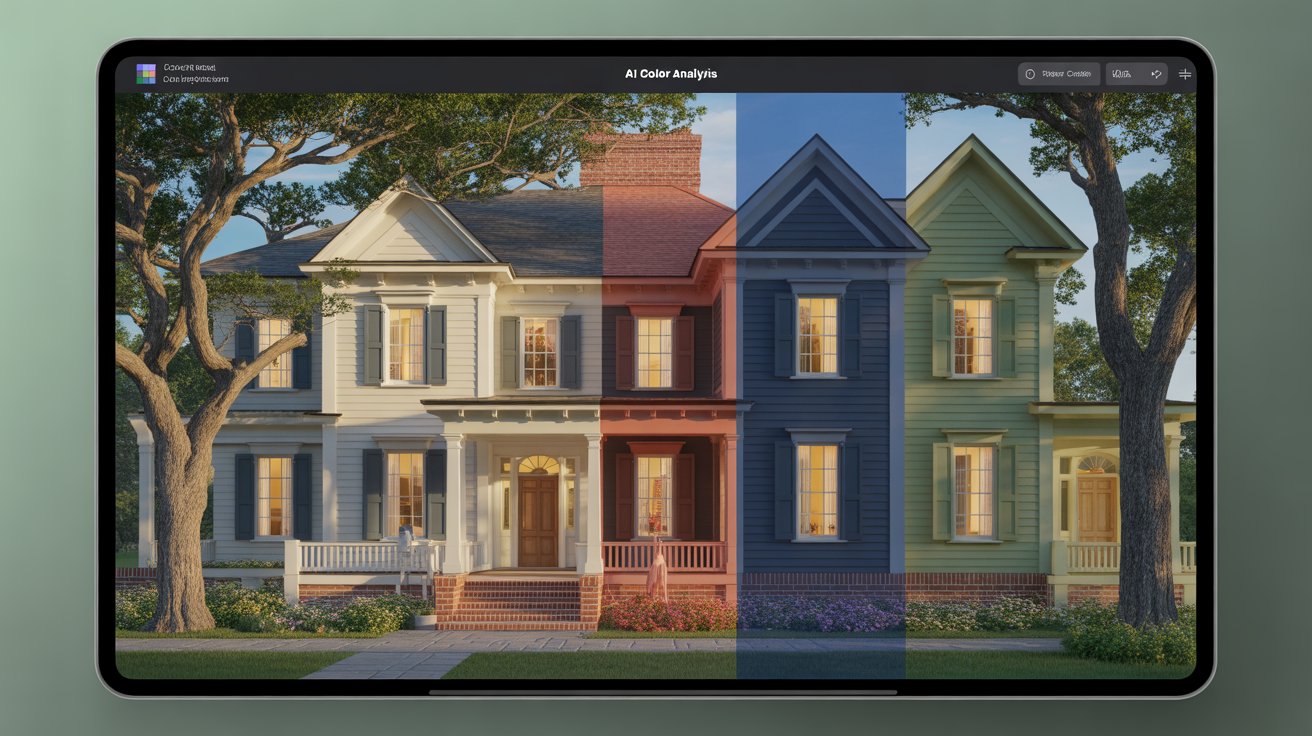
AI-powered visualizers use computer vision to detect and map surfaces in your photo, then re-render them in the new color, preserving light, shadows, and textures like stucco or wood grain. Unlike brand-locked tools that overlay color, AI visualizers provide a more realistic preview by showing how the color interacts with your home’s unique features, such as rooflines and landscaping. This creates a more accurate and dynamic color preview.
Here’s an honest look at the main AI tools currently available:
| Tool | Free Access | Color Input | Best For |
|---|---|---|---|
| Renovate AI | 1 free render, no sign-up | Custom text prompt or color tone | Quick exploration, full exterior transformation |
| Facade Colorizer | 1 HD render + 3 regenerations free | Any brand, RAL, or hex code | Photorealistic previews, brand-agnostic testing |
| Hover | Limited free tier | Major brand libraries | Contractor presentations, professional use |
| Visualizee | Free trial | Prompt-driven, any style | Architecture-aware rendering, HOA submissions |
| GenRoom | Freemium | Any | Broader home design, including exterior paint |
Visualizer Choices for Your Home’s Architecture
Different architectural styles have historically established color logic that works. Use a visualizer smarter by starting with the right palette category for your home type.
1. Colonial and Traditional
- Classic two-tone: White or off-white body with dark shutters and contrasting door
- Works well: Navajo White + black shutters + navy door; Creamy SW-7012 + black + red door
- What to test: How your specific white reads against your existing brick foundation or shuttered windows
2. Craftsman Bungalow
- Three-tone is expected: Warm siding, contrasting trim, rich accent details (porch columns, brackets)
- Works well: Olive green + cream trim + warm brown/amber door; Sage + deep brown + forest green accents
- What to test: Whether your proposed body color makes the architectural details pop or disappear
3. Modern Farmhouse
- Monochromatic with high contrast accents: White/creamy body, black door, metal accents
- The trend is evolving: Creamy whites replacing stark white (Benjamin Moore White Dove-OC-17, SW Alabaster-SW 7008)
- What to test: How much warmth you want true white reads cold against warm landscaping
4. Ranch Style
- Horizontal lines call for colors that extend visual width, not add vertical drama
- Works well: Medium neutrals (warm grays, earthy beiges), darker body with lighter trim to avoid a heavy appearance
- What to test: How dark vs. light affects the perceived low-profile look
5. Traditional/Victorian
- Multiple accent colors are historically appropriate and expected
- Works well: Three- or four-color schemes (dusty rose body + cream trim + burgundy + teal details)
- What to test: Color temperature consistency across multiple accent zones
6. Modern and Contemporary
- Bold dark colors work here: charcoal, navy, deep forest green, near-black
- Works well: Single-color body with minimal trim variation; monochrome with texture contrast
- What to test: How a dramatic dark color reads against your specific roof material and driveway color
Using an Exterior Visualizer for HOA Approval
Many HOAs require pre-approval before any exterior color change. Visualizers can make this process significantly smoother:
- Generate photorealistic renderings of your actual home in the proposed color, not generic examples from the tool’s template library
- Present multiple options within the HOA’s approved palette side by side for the committee to evaluate
- Document your selections with brand name, color name, and paint code in the submission, and attach the visualizer image for clarity
- Show the whole picture. Your rendering should include trim, door, and accent colors in their correct proportions, not just the body color
- Tools like Visualizee and Hover produce rendering quality suitable for HOA submission documents; most brand tool overlays are too rough for formal presentation
Steps to Follow After Visualizing the Color
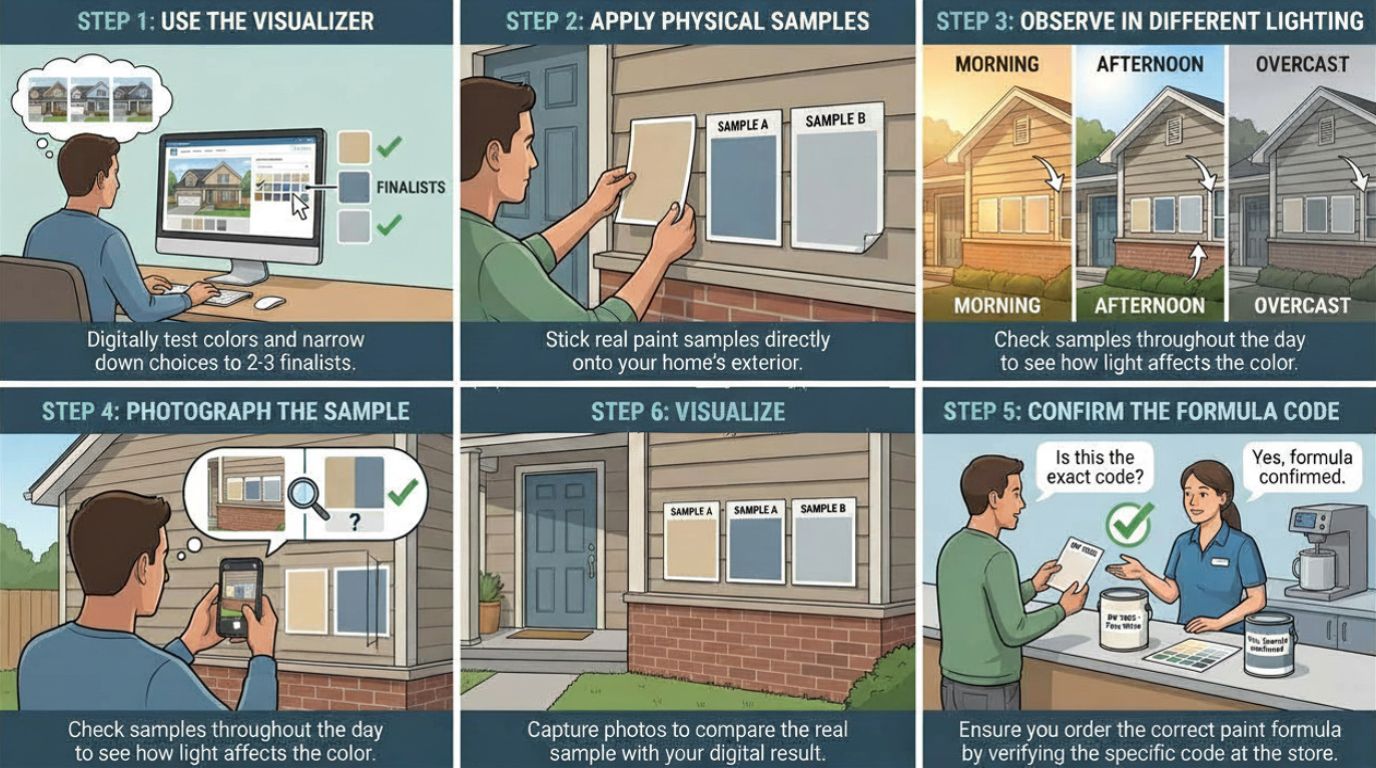
This is where every other guide stops. You found a color you love in the visualizer, maybe two or three. Now what? Most people either buy paint immediately based on the screen result, which is how you end up with that stomach-drop moment on day one, or they spiral back into the tool and test another forty colors until decision fatigue sets in, neither of which works.
Here’s the process that actually bridges the gap:
- Step 1: Lock down your top two or three options
- Step 2: Get physical samples for each finalist
- Step 3: Observe each sample in three distinct lighting conditions
- Step 4: Photograph the sample against your actual facade, roof, and landscaping
- Step 5: Confirm the formula code, not just the color name.
Conclusion
A visualizer is the smartest starting point you have, but it was never meant to be the finish line.
Start with an AI-powered tool when you’re still looking for paint. It will show you your actual home in colors you’d never have pulled from a swatch rack.
Move to a brand-locked tool once you’ve found your direction and need a formula code you can act on. Then run the physical sample test before purchasing a single full gallon.
That sequence AI to spark ideas, brand tool to confirm, sample to close is what separates people who love their final result from those who spend the next seven years living with a color they settled for.
The tools are better than ever. Now you know how to use them correctly.